Posted on - 5 April 2011 . Written by

Redsn0w 4.3.1 Jailbreak – UnTethered Tutorial

SPONSORED LINKS

Redsn0w 4.3.1 Jailbreak tool is now available for download . You can jailbreak 4.3.1 untethered using Redsnow 0.9.6 RC9 . Follow the tutorial below to jailbreak your iPhone 4 3GS iPod Touch 4 3G iPad 1 . Ipad 2 is not supported yet .

#Tip : Watch complete Redsn0w 4.3.1 Jailbreak Video Tutorial on Youtube in HD . Dont miss it .

4.3.1 jailbreak redsnow

Redsnow 0.9.6 RC9 Jailbreak Tutorial – 4.3.1 Untethered Jailbreak :

  1. Download Redsnow 0.9.6 Rc9 [Windows | Mac]
  2. Download iTunes 10.2.1
  3. Download 4.3.1 ipsw files
  4. Extract Redsnow 0.9.6 RC9 on your desktop .
  5. Now launch Redsnow in Administrator mode by right clicking on the .exe icon . Skip this step if you see UAC Virtualization is disabled or grayed out  . [Windows 7 user may run in XP Compatibility Mode by clicking Troubleshoot Compatibility] . All these steps may not be required for all Windows users , however if you face any errors during the process , consider enabling them .redsn0w 0.9.6 RC9 administrator mode
  6. Now goto Task Manager by right clicking on your Windows Taskbar and set the affinity mode of the process to CPU 1 [in task manager as shown below]. This will help you bypass the “Uploading RamDisk” Error causing during the process of creating custom ipsw file . redsnow 0.9.6 uploading ramdisk cpu affinity 1 redsnow
  7. Now browse to the downloaded 4.3.1 ipsw file in step 3 and select it on Redsn0w as shown in the image below . redsnow 0.9.6 RC9 4.3.1 jailbreak step 1
  8. Redsnow will then verify the ipsw file and you can proceed by clicking on Next button at bottom right to Install Cydia. redsnow 4.3.1 ipsw confirmed redsnow 0.9.6 RC9 4.3.1 jailbreak step 3
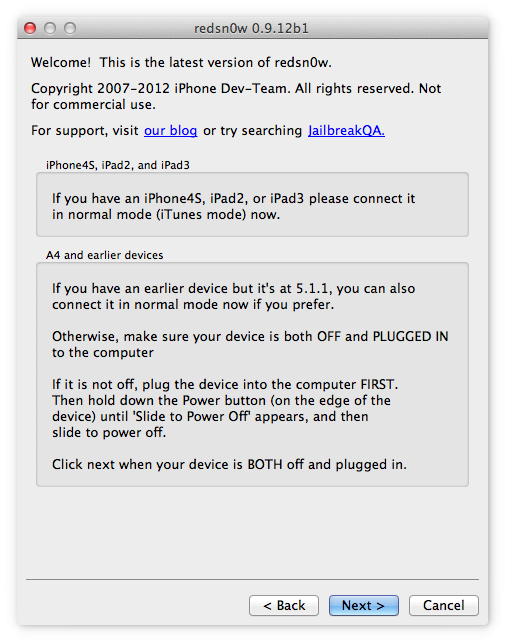
  9. Turn off your device and plugin to the computer . Get ready to put your device in DFU Mode as asked by Redsnow . Click Next to proceed with DFU Mode . Read How to Put Your device in DFU Mode . redsnow 0.9.6 RC9 4.3.1 jailbreak step 4
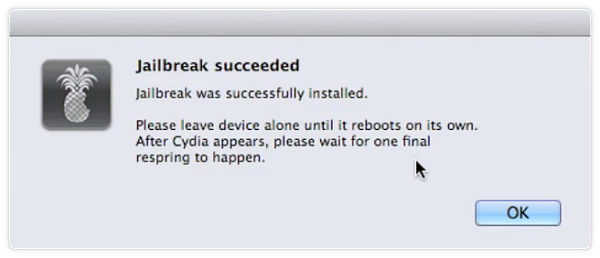
  10. After successfully entering DFU mode , you will be able to jailbreak your device un-tethered . Wait for Redsnow to complete the jailbreak process by itself. Your device will reboot and you will be jailbroken . 4.3.1 install cydia

Note : If you want to preserve your baseband for Ultrasn0w unlock , Follow Snowbreeze 2.5 Jailbreak method to Jailbreak – Unlock  your device on Windows . Redsnow will not preserve your baseband and cannot be used to hacktivate your phone .

Useful Links : Try other 4.3.1 Un-Tethered Jailbreak Tools

Please let us know if you face any difficulty in performing the above explained method to jailbreak using Redsnow 0.9.6  RC9 . You can ask your questions in the Jailbreak Forum. Please Share .

Sponsored Links

Get Jailbreak Unlock Alerts. Join Now!

We will send full blog posts to your inbox each time new posts are published.

PEOPLE WHO READ THIS ALSO READ :
Crazy iPhone Apps
Block Unknown Unwanted Calls - SMS on iPhone 4
Download iPad Phone Calling App
Wearable Video Camera for iPhone

135 Responses - Add Yours+

  1. zero says:

    Thanks a lot for the tutorial. I kept getting the error and your method solved it for me. You rock!

    • Iphone Blogger says:

      thanks for your comment Zero . I included the Steps 5-6 as standard method of jailbreaking using Redsnow 0.9.6 RC9 so that users dont face this “Uploading RamDisk” Error on their computer everytime .

      Dont forget to share

      thnaks

      • Nathan says:

        Really appreciate your method of setting Affinity to CPU 1, because I keep getting this st00pid RamDisk error all the time when running Redsn0w. Thank you!

      • Iphone Blogger says:

        thanks for your comment Nathan . Let me know if you face any other jailbreak problem. . Will be happy to assist you via the Jailbreak Forum . Do share the article , Thanks

      • SG says:

        on my computer it works just with compatibility to xp sp3 enabled, no other settings required.

      • Juan G says:

        I am trying to set the affinity mode to cpu 1 but when I right click on redsnow the uac virtualization is gray and does not allow me to do it I am on windows 7 please help

      • harrison says:

        hey should i extract the files

    • glenn08 says:

      btw guys i want to add something in Step 6 for vista users in order to proceed to “Set Affinity” you have to click on “Show processes on all users” so that you can edit it as admin user otherwise your action will be denied by your PC and the rest will follow. So thats about it. Great addition for step 5 & 6 guys it really helped me a lot. thanks!

  2. gene says:

    This is weird

    How come my redsn0w installer did not show the selection of ” show battery percentage ” ?

  3. Tom says:

    The process never completes. I have to select “Cancel” to close redsn0w Dialog “Exploiting with limera1n” idling at 100%. I see no difference to the none jailbreaked state of the iPhone after this. Cydia’s missing.
    Previously updated from Version 4.0.1 (JailbreakMe) to 4.3.1 with iTunes. OS: Windows 7 64bit

    • gene says:

      Windows 7 users are having this problem..

      I went to my laptop and use windows xp and worked fine.

      Maybe they do not support all Windows 7 or vista yet.

      • Tom says:

        Left my iPhone connected in this state over night and found my device appearing dead. Later I tried redsn0w again and got surprisingly the Upload Ramdisk message which stuck again.

        I then used the XP (SVP3) compatibility mode in redsn0w.exe properties and everything went fine.

  4. Alex says:

    All went fine on my iPhone 4. But at the end, Safari and Cydia crash when oppened. Should I restore

  5. BABA says:

    Hi,

    i have already updated the IOS to 4.3.1 by keeping old basebase as 01.59.00 using tinyumbrella now which tool i need to use to install cydia.

    Thanks..

  6. Desoto says:

    Thank you Sooooooooooooo much!!!!!!!!!!!!!! It worked the first time

  7. Tony Jaa says:

    can be unlock bb 02.10.04?

  8. EEE says:

    Worked smoothly! Recommend PCKBackup from Cydia before jailbreak and your phone will be exactly the same as previous ios. Upgraded from 4.1. GG redsn0w!

  9. Shiza says:

    Am I suppose to upgrade to 4.3.1 first before following this tutorial? sorry, first time jailbreaker. thanks in advance!!

  10. BT Leonor says:

    If I upgrade to iOs 4.3.1 and jailbreak my iPhone with Redsnow, what will be the new baseband? My iPhone 4 is currently 3.10.01.

  11. Abdul says:

    My device is carrier unlocked. The device is on 4.3.1 latest update. Can I use this method and jailbreak the device? I used green poison 4.2.1 before and jailbroke the device. Then, I updated to the latest and lost everything. So, my question again is can I use this method and jailbreak the device?

    • Inder says:

      You sure can. I have officially unlocked iphone 4 and this method worked like a charm.

    • SG says:

      you lost everything when jailbreaking? weird, never heard of anything similar … I have jailbroke with redsnow and lost nothing.

  12. Geohot says:

    About month Update iOS 4.x to iOS 4.2.1 [Preserve BB] But now How upgrade your iPhone 4 from iOS 4.x to iOS 4.3.1 without upgrading its baseband AKA preserve Unlockable Baseband using TinyUmbrella for Windows.

    • Derek says:

      Use SnowBreeze (Step 1) to preserve baseband to create custom firmware, then restore your iphone to the created custom firmware which is found on your desktop.

      Then jailbreak with the official 4.3.1 firmware file for your iphone. At least this worked for me and I didn’t encounter the “1 signal bar but no network connectivity” problem…

      Hope this helps…I’m using 3GS

      • Franky boy says:

        Hey Derek. i have a Iphone 3gs OS 4.0.1 jail broken and unlocked and base band 5.13.04. can i update and unlock my iphone . if so what is the recommended update version for me and how do i do without without upgrading the baseband,
        thanks in advance

  13. DRAGOS says:

    hi i have a question.i need to know if i can unlock a iphone 4, ver 4.1, 02.10.04.
    thanks.

  14. Ben says:

    Is this a perfect jailbreak? Is there any problem with this jailbreak?

  15. Norrlands says:

    Thx works fine

  16. jrwanna says:

    whens the ipad 2 version comin out??Ipad2 is dull w/o cydia :S

  17. round says:

    I was able to complete the whole process without any issues but IOS version is still showing as old version. any suggestions?

  18. Mark says:

    iPhone 3GS, 4.2.1, 6.15, 359.3 old bootrom
    I followed the above instructions on my Win XP SP3 system. Everything seems to go well until the iphone reboots, I get no pineapple logo and the phone just stays stuck with the apple logo. If i repeat the procedure and select 4.2.1 sw instead of 4.3.1 everything works fine. What is the problem?

  19. Inder says:

    This is an excellent tutorial. I would like to add step “7″ for windows 7 (64 bit) users. To run the redsn0w.exe in xp (sp3) compatability mode. Thanks!

  20. Richard says:

    May i know how do u install cydia using redsnow ? I tried to go to the web but it only show the possible webside which i can go and jailbreak my phone?

    I hope u could reply me soon. Thanks

  21. Jay says:

    I have used Greenposi0n to jailbreak my iPhone 4/ 4.2.1 now I want to have it be broken with 4.3.1. Do I just run the jailbreak procedure or do I have to upgrade to 4.3.1 and then jailbreak? If I have to upgrade first what is the easiest way?
    I want to use redsn0w to break this time, will that work?

  22. Bethor says:

    Tx great tuto, fix my problem

  23. Babydonk says:

    I haven’t unlocked my Iphone 4… I have it unlocked without using the Ultrasn0w unlock …. I’m on 04.10 BB, They told me that I can make updates using iTunes without Having to care about the unlock etc… So, Am I concerned with the Snowbreeze jailbreak ti preserve my BB ,will my phone be locked again even if I didn’t use any of the unlockers ?

    • Rakesh says:

      Are you saying that your phone is factory unlocked? If so, not a problem. Else you will need to read teh jailbreak guidea the author has been kind enough to add at the top of this page. I believe snowbreeze is the process if your phone is not factory unlocked.

      cheers

      • Babydonk says:

        Thank’s for your answer … I have to say that I do not know exactly what they did to it. I gave it to a man who did everithing, He told me that he bought a code or something from the factory so he could unlock it with it, Because I couldn’t unlock it because of the baseband(03.10) ….

        I’m gonna jailbreak it right now then :D

      • Babydonk says:

        Finished !!! Jailbreaked & Unlocked :D

  24. Rakesh says:

    Thank you for the great guide. this is my 3rd JB with this forum. Great Work!! Thank You!!

  25. stiff says:

    Thank you crazy guys 1000 times for this tutorial and more thanks to Dev Team and all involved persons for this result! You’re great!!!!!

  26. SaM says:

    Can i reboot my iphone after i jailbroken using RedSnow?

  27. Watson says:

    I’ve unlocked my 3Gs week 41 (based on serial number) fine, but it shows no carrier. It was a Fido (canada) phone and I now have I’ve tried a Rogers and Petromobility SIM with no success. Any help in getting it to recognize my carrier would be GREATLY appreciated. Thank you!!

  28. renato rocha says:

    ola apos o jailbreak o sinal do 3g sempre apresenta apenas uma barrinha independente da intensidade do sinal e o mesmo aconteceu com o PwnageTool

  29. Seba says:

    Buenisimo!!! me soluciono el problema, gracias!!

  30. Club17 says:

    Thanks! Working on Windows 7 64 bits without SP1! Fine… :)

  31. T says:

    F#k redsn0w!!!! Too complicated! Searched my entire computer-could not Ipsw files-or whatever the f#k they are-I am not a h@cker! None of the tutorials I’ve watched or read were helpf & when I ask a ? On FB everyone calls me st00pid! I’m no stranger to jailbreaking-computers r a diff story! So Far-the JB S##KS A$$-too complicated-& everyone n the JB community is a f##n A##E!! Thanks for the help! Can’t wait for a GREENPOIS0N JB! won’t have to download a sh# of files do
    This do that create folders blah blah f#n blah!!! Oh yeah & none of the tutorials using windows have the same version as me. They all say windows but they’re f#in macs! Come on d#b f#s! Yes-I have downloaded 4.3.1 software-I’m f#n on it right now!! I have downloaded the s#! I did every step up to browsing for the Ipsw (?) file. #!! Any help? Without somebody tell#n stu#d?? Tired of hearing that sh#! Sorry for the attitude but been called stupid for 2 f#n days-not real happy! Just looking for help!

  32. JD says:

    Do you have step by step instructions just for a Mac user on the jailbreak an Ipad version 1?

  33. vaarun says:

    i haveiphone 4 4.1 wid a bb 2.10.04 ma ph is jailbreaked bt how can i do carrier unlock ….please reply asap …..thanks

  34. DJ says:

    hey i m having an iphone 4 unlockd.so when i first read the tutorial from some other website it stated that its for GSM IPHONE 4 soo what does that mean…can i use it on my unlocked iphone…reply me by eamil as soon as possible..

    thanks.

  35. lapson says:

    Hi,
    Thank you for your tutorial on using redsnow.
    The question is:
    I have already jailbroke with greenpois0n Rc6.1 for 4.2.1, can I go through the steps directly to jailbreak my iphone for 4.3.1? If not, what steps should I do first before upgrade to 4.3.1 untethered jailbreak?

    Thank you.

    • Iphone Blogger says:

      install appsync from Cydia , sync jailbreak apps with itunes . then go ahead with the jab process

  36. harris@@ says:

    Hello guy’s,

    I have a question, I jailbreak my iphone 4 with redsnow 4.2.1.
    Now I want to go to redsnow 4.3.1 untethered is it possible without loose my programs or saves in for example Angry Birds game?

    Thanks,
    harris

  37. Carlos799 says:

    Will this work with bb 04.10.01?

  38. gene says:

    do you guys found out it consumes the battery fast ?

  39. Krac says:

    Hey guys, iv never jailbroken my iphone before, i hear its really good i was just wondering if there is problems or anything you face with it, cause if its stuffs up i cant get a new one haha.

  40. MDK says:

    I’ve been attempting to jailbreal my iphone4 using newly released redsnow 4.3.1 on Windows 7 operating system. Everything goes fine until I get to step #6 and the “UAC Virtualization” selection under Task Manager is grayed out, not allowing me to select it. What is causing this? How do I correct it?

    • Derek says:

      Press “Start button” -> Type “taskmgr” right click it, run as admin.

      then run redsn0w as admin as well.

      then from task manager do #6 and #7

    • Derek says:

      If I’m not mistaken, the UAC virutalization have no impact on setting affinity.

  41. raintears says:

    thank you thank you thank you.. it’s working it’s working!!!and i do not need to restore my stuff!! cool!! THANK YOU SO MUCHEEEEEEEEEEEEE ^^

  42. McGixxer says:

    I have downloaded the IPSW from the link in the tutorial but no matter what I do Red Snow always says “Unable to recognise IPSW”
    The phone is updated to 4.3.1, I downloaded Red Snow, I ran it in XP compatablility mode and everything. But no matter what I cant get it to recognise the IPSW file.

  43. tommi says:

    hi i tried redsnow the first time yesterday and its my first time jailbreaking…. but everything went find until the phone reboot and i copuld get a network… went to a second hand shop and they have restore the phone back for me… now i very itch wanted to try jb again… can anyone tell me what cause the no network stuff??

  44. Amir says:

    Umm, can you please post instructions for Mac OSX?

  45. lorp says:

    @McGixxer, I got the exact same problem!! what to do?

  46. Zee says:

    Hey, I did the affinity option and it worked like a charm. Thanks alot, I’ve been trying to jailbreak it since middle of the night last night and now this morning I did a Google search and found this article. So thanks heaps. Peace out <3

  47. Billyp1970 says:

    Grrrr…Ok, I have read all the posts and I’m still at a roadblock. I can not set UAC Visualization nor am I allowed to set Affinity. Before anyone jumps the gun…I am running Win 7 and YES I set RedSn0w to Win XP (sp3) compatibility mode and YES I have set it to run as an Administrator…and YES I right clicked on it in TaskManager and also selected it run as an Admin there too…but still UAC Visualization is grayed out…and trying to open my .ipsw file returns the same result each time…Unable to recognize specified IPSW file…can anyone help?

    • Billyp1970 says:

      Oh forgot to say…I’m JailBreaking an iPhone4 from 4.1 to 4.3…

    • Jimlaw01 says:

      I’m having the same problem… and I am likewise running Win 7, I’ve set Redsn0w to Win XP (sp2) compatibility mode and I’ve set it to run as Administroator. Does the fact that my iPhone 4 is a 32 mg size have anything to do with it?

    • Jimlaw01 says:

      Reading the above comments appeared to fix the problem. I simply clicked on “Show processes for all users” at the bottom and it worked.

  48. Josh says:

    tried jailbreaking my iphone 4 (4.3.1 os)
    It looked like it was successful going through redsn0w all the way through the pineapple screen but then it went bad
    It is now stuck in reboot mode
    Nothing seems to shake it out of that mode
    Im using windows 7

    • Jimlaw01 says:

      I had the same problem. I restored my iPhone using a different computer and it worked. Not sure why, but it did the trick.

  49. jbkr says:

    thanks for solving the “uploading RAMDISK issue!!!!

  50. Brian says:

    Hi, I had my iphone 4 jailbroken with Greenpoison on 4.2.1 bb 1.59

    I followed the steps to preserve my baseband with Sn0breeze on 4.3.1 but everytime I try to jailbreak Cydia is missing?

    Am I doing something wrong? I restored with the custom ipsw snowbreeze creates, so why is Cydia missing?

    • Derek says:

      Restore with custom ipsw with snowbreeze, then use redsnow rc11 on your iphone wif the apple ipsw file(not the custom one created by snowbreeze) and you should be fine~

      Cheers~

      at least this is wad i did =D

      • Brian says:

        Yeah but I want to preserve bb 1.59, I really don’t want to lock my Iphone…? How about downgrading?

  51. gene says:

    what is the point getting RC11 build ??

    If i upgrade it again , will my stuffs gone again ? and i must do everything again ?????????

  52. bonedaddy says:

    Again, another request for Mac instructions?

    If one of you guys gets a moment it would be great. Thanks for your efforts!

  53. lurian says:

    Hey, I upgraded my iTunes to the 4.3.1 version but I don’t find the .ipsw file anywhere! It’s not in my desktop where it should be and I can’t upgrade it anymore!! help!!!

  54. jailediphone says:

    will this work on my 1 week old iphone 4 ver. 4.3.1(8g4), bb 04.10.01? or should i use another prog? or wait as its not released? so many sites saying so many diff things. confused.

    • Derek says:

      Use this “Redsn0w 0.9.6rc12″

      Then follow instructions above ^_^

    • Derek says:

      If it doesn’t work, then proceed to dl SnowBreeze and use step 1 “Preserve baseband” then use Redsn0w 0.9.6rc12 again with the steps listed above..

      Method #1 didn’t work for me and i had to use this method with my new bootrom 3GS

      • jailediphone says:

        the operation is jammed at the below situation.

        please wait while your device is being processed

        waiting to reboot

        help.

    • jailediphone says:

      Perfect! it worked awesome.. thanks alot..
      one more thing, if i restore to factory settings
      warranty will be valid right ?

  55. Robert says:

    It worked for me on 3GS new bootrom from 4.2.1 (update then jailbreak). thank you for the instructions

  56. Ting says:

    Hey , i have a iphone 4 , i just recently upgraded to 4.3.1 version via itunes , can i use this to jailbreak it ? i tried just now but when i click next after it finishes indentifying the ipsw it crashes ( im using windows 7 ) it says redsnow has stopped working :o please help . now i left with a boring iphone 4 Thanks

    • Satyam says:

      Everything is written above,, follow the instruction carefully and you will get your working great…

  57. Kaoba says:

    You are awesome. I had to do it twice since I was a bit slow with the fingers but, once I knew what to expect, it was on. Easy instructions and no scams. You are awesome.

  58. rob62 says:

    thanks alot guys – worked like at charm.

  59. Satyam says:

    Thanks a lot,
    working perfect for me!

  60. Billyp1970 says:

    Yea I got it to work…I had to update to the iOS on my iPhone first, then run redsn0w…

    I also noticed in the middle of the process I downloaded the wrong redsn0w…I love this site, and all the help, but I would like to recommend that the download links (all of them) be put on one page listed from the newest to the oldest. It is somewhat like that now…maybe just a little tweaking. No hate here peeps…just lots of luv.,,

  61. mullypro says:

    Hi;

    Third request for Mac OSX instructions. Will be going from an iPhone 4 4.2.1 with baseband 3.10.01.

    As I understand it so far I have to do the following:

    Download Redsnow RC9-done
    Upgrade to iTunes 10.2.1-done
    Download the ipsw files for iPhone 4-GSM only (at&t)-done

    Assuming I am right in what I am doing so far….can someone please walk me through how to finish up on my Mac OSX 10.6.7?

    Thank you from me and the two others who have asked so far.

  62. RougeAmour says:

    Thank you so much for the great guide. I was stuck with the “uploading ramdisk” error and this totally fixed that. I dont know how you guys figure out all these neat tips and tricks but keep it up.

  63. Allan says:

    Thanx a lot,, it worked perfectly with me on my iPhone 4,, and it took only 5 minutes to JailBreak and to install Cydia..

  64. neil says:

    i’m not able to get the facetime logo??????? is there any solution for this???????

  65. Jelz says:

    Any tutorials on redsnow 4.3 jailbreak using mac instead of windows? thanx

  66. Inky says:

    Hi all,
    Finally jailbroke my 3gs 4.2.1 with redsn0w_win_0.9.6rc9 but im having problems now trying to unlock it or make it carrier free.
    Does any one have any suggestion?
    Many thanks, Inky

  67. Wim says:

    Thanks!
    The ramdisk error doesn’t appear thnx to you!
    (I couldn’t change the CPU thing, but compability + admin worked for me)

  68. pappu says:

    Do we have a solution to unlock baseband 04.10.01 for Iphone 4 ?
    Thank you !

  69. Laimis says:

    What’s the solution to unlock 04.10.01 iPhone 4, 4.3.1 that has been JB’oken already.

  70. Rheiyah says:

    I tried to jailbreak my iphone 4 with 4.3.2 version and firmware 4.3.1, it was succesful, but everytime it says reboot it won’t turn on again, stuck with apple logo only. I already restore my iphone twice.

    • Derek says:

      Hi Rheiyah,

      Try create custom firmware with sn0wbreeze and restoring using the custom firmware then jailbreak with the original firmware file.

      Cheers,
      worked for me!

  71. Attar says:

    Step 6 finally made the jailbreak succesful, Thank you !!

  72. varun says:

    Hi i have iPhone 4 version 4.3.1(8G4) purchased on US, AT&T carrier with base-band 04.10.01

    Now currently at INDIA, can this be unlocked and Jail-broken ?

    any procedure ?

    waiting for comments from the great users…

  73. craig says:

    iphone 4 firmware 4.3.1 on bb 04.10.01 jailbroken but will not work with the repo666.ultrasn0w etc source to unlock any ways to do it or to change the baseband

    thanks for the comments

  74. shalim says:

    hi i have a iphone 3gs 4.2.1 baseband 06.15.00 how to update 4.3.1 or 4.3.2 and unlock………… pls help

  75. ISCA says:

    nice! it worked! thanks a lot….iphone 4.3.1, windows 7-64bit SP1 installed…

  76. Chris says:

    iPhone 3GS new boot at the minute can I only jailbreak untethered
    And have to start each time by computer
    Upgraded to 4.3.3 via iTunes

  77. dp says:

    Thanks these instructions really helped make it easy for me

  78. Juznila says:

    This quide really helped me to jb my 4.2.1 iphone 3g.
    Every other method have failed because I’m using Windows 7 64bit version and this finally worked! :)

  79. misha says:

    how long does it useally takes to reboot ?? last step i guess ??

  80. Cass says:

    I cannot find where to download redsnow 0.9.6 rc9. Pls help give me the link.

  81. Moon Eady says:

    Hi I need to unlock my Iphone 3gs 4.3.2, 05.16.02.I used Redsnow but my sim still doesn’t work. please help me somebody. what software must I use to unlock it?thank you

  82. ian says:

    if i have ios 4.3.5 will redsnow still work or do i have to get 4.3.1?

  83. ian says:

    awesome, my iphone froze thnx a lot redsn0w

? Ask A Question