
Redsn0w is a jailbreaking tool for iOS 5 firmware.
Use the links below to download the Redsn0w jailbreak app.
How to Install Redsn0w Jailbreak:
- Using your Mac or Windows PC, download Redsn0w from the links above
- Connect your iPhone to your computer
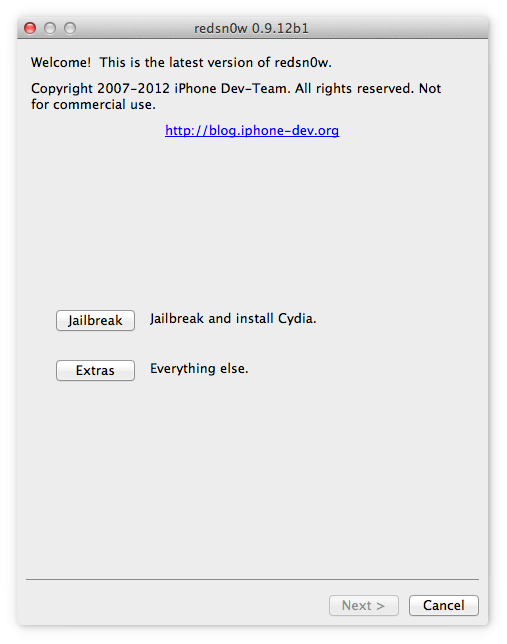
- Open Redsn0w and click on the Jailbreak button as shown here.

- Wait while Redsn0w is jailbreaking your device, and your device reboots.
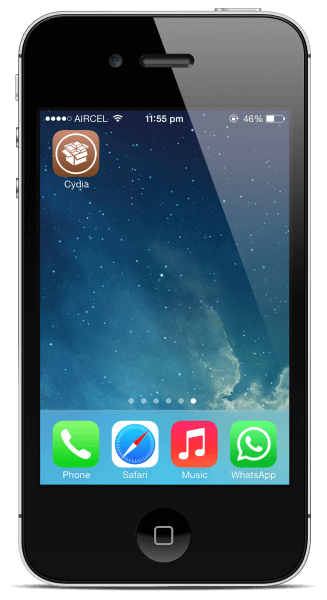
- Unlock your device, and the Cydia app will be on your home screen. ( See video )

How to Install Redsn0w in DFU Mode:
Note: Apple’s A4 devices like the iPhone 4 or earlier can only use the Redsn0w app in DFU mode.
- Using your Mac or Windows PC, download the Redsn0w jailbreak app from the links above.
- Connect your iOS device to your computer and launch Redsn0w
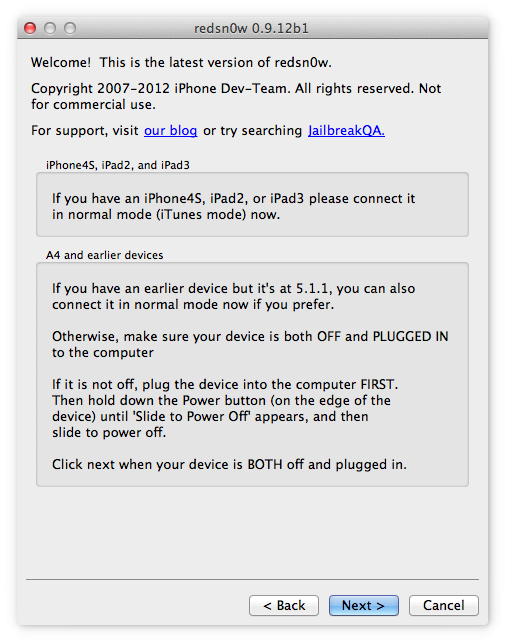
- Click on the Jailbreak button. You will see the information on compatible iOS devices.
- Click on Next, and you will see on-screen directions to place your device into DFU mode ( you may need to try a few times to be successful )
- Once your device is successfully in DFU mode, check the box beside Install Cydia and click on Next.
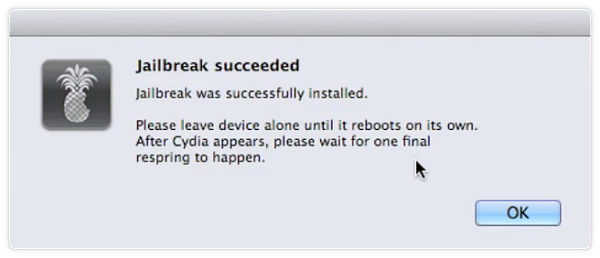
- Leave Redsn0w to work, and when the Slide to Unlock screen appears on your iPhone, unlock it.
- After the jailbreak is successful Cydia app should be on your home screen

Frequently Asked Questions:
- What is RedSn0w?
Redsn0w is a jailbreaking tool released by the iPhone Dev Team in 2008 when it was initially named QuickPWN. Redsn0w is an incredibly versatile and adaptable jailbreak tool that is available for Windows PC and Mac computers.
- Is Redsn0w Jailbreak Untethered?
Redsn0w has the ability to install both tethered and untethered jailbreaks. However, there is a limit on the untethered jailbreaks provided by Redsnow. Anyone using an iPhone 4 or earlier on iOS 5.1.1 or earlier can install an untethered jailbreak. Anything newer than that is limited to a tethered jailbreak.
- Is Redsn0w Jailbreak Safe?
Yes, the Redsn0w jailbreak is a very safe jailbreaking tool. It has been thoroughly tested by the iPhone Dev Team and released after it has completed all the stages of bug-testing and stability checks.
User Ratings: